Understand the risk without the jargon.
Each finding says what is wrong, why it matters, and how to fix it — in one scored 0–100 snapshot across every checked area.
Guided security hardening for self-hosters
Hostveil finds the misconfigurations that get self-hosted Linux servers hacked, explains them in plain language, and fixes them — with a preview, a backup, and one-command rollback.
curl -fsSL https://hostveil.seolcu.com/install.sh | bash && hostveilWhy Hostveil
Hostveil turns opaque host state into a prioritized list of concrete, plain-language problems — and then walks you through fixing them safely.
Each finding says what is wrong, why it matters, and how to fix it — in one scored 0–100 snapshot across every checked area.
Every automated fix shows the exact change first and backs up the file before touching it. Changed your mind? hostveil rollback restores the original.
Reads your Compose files and host configuration locally. Native checks mean nothing extra to install for SSH, firewall, and update hardening.
Trivy image scanning is used if present and skipped cleanly if not. AI explanations are opt-in and default to a local model — nothing leaves the host.
Coverage
Exposed databases, a Docker socket handed to a container, root SSH login, no firewall, unpatched packages — Hostveil checks the highest-impact paths together, deeply.
Privileged mode, host networking, Docker socket mounts, exposed datastores and admin panels, missing no-new-privileges, unsafe bind mounts, and hardcoded secrets — from a native audit of your Compose files.
Native checks for root login and password auth in sshd_config, whether a firewall is actually active, and whether automatic security updates are enabled. No external audit tool required.
When Trivy is installed, Hostveil scans the images your Compose services run and models "no patch available yet" as a first-class state — no misleading perfect score when the scan didn't run.
Product
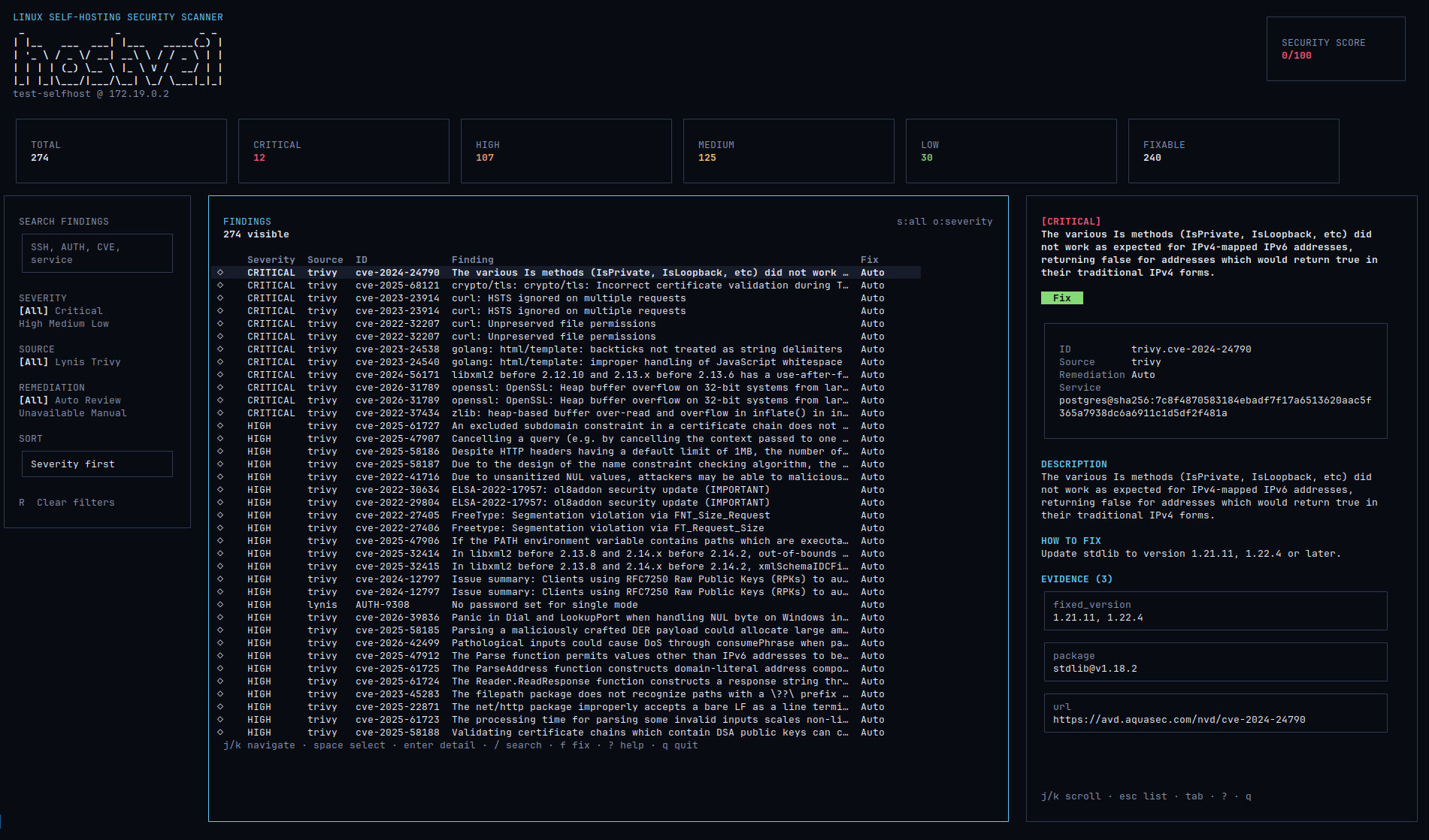
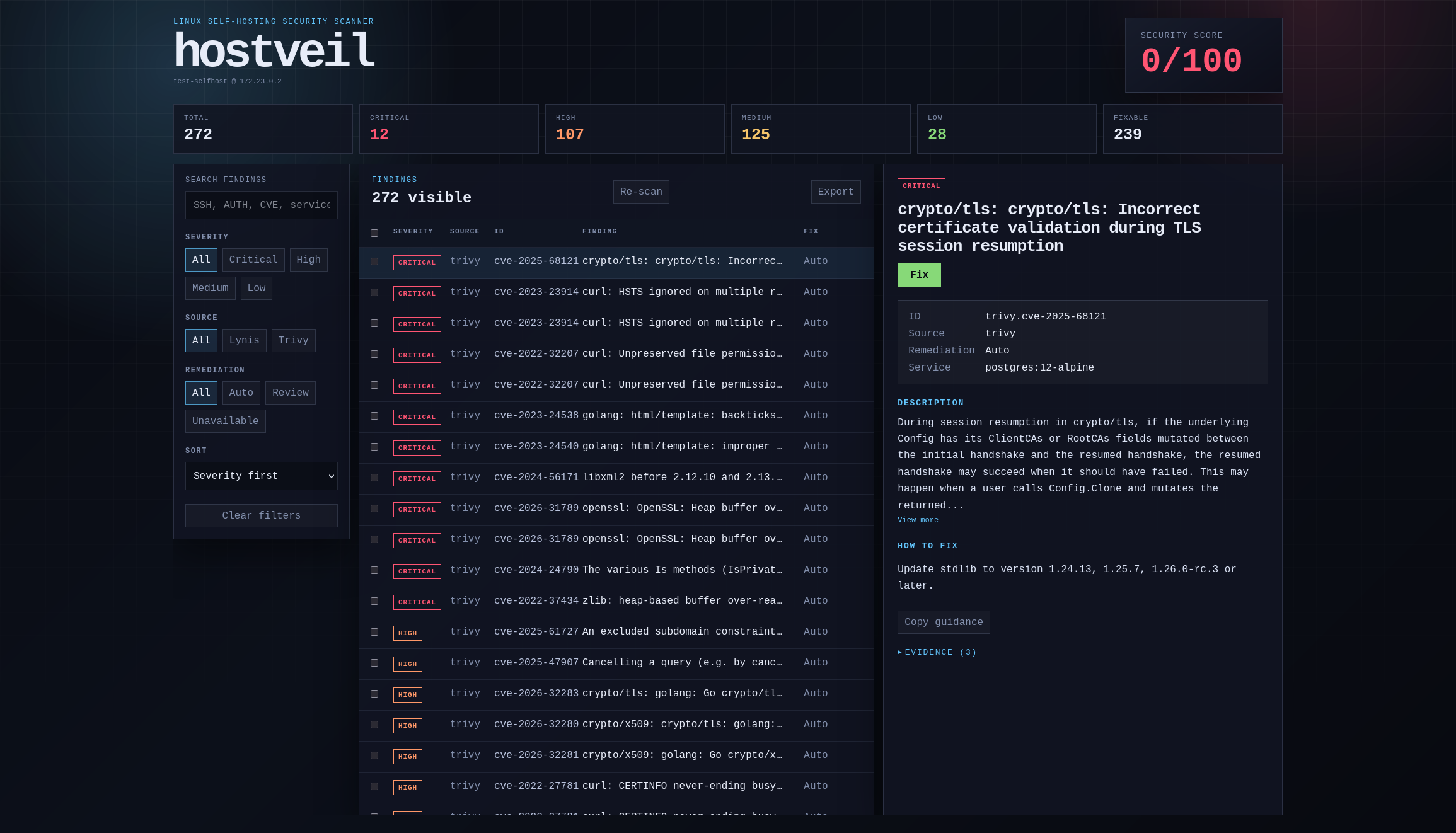
Run the TUI by default, or serve the same scan over localhost when a browser is better for review. Both drive the exact same fix-and-rollback engine, and both ship the same five color themes.
Measured
Hostveil's own score going up after Hostveil's own fixes proves nothing, so a seeded server was measured by tools that have never heard of it: Lynis, Docker's CIS benchmark, and a TCP scan from a container on the Docker bridge. The September 11, 2026 run compares the seeded host with the state after Auto and Review fixes and service restarts.
One seeded Ubuntu VM running Nextcloud, Jellyfin, Portainer and their datastores, with services published on 0.0.0.0, root SSH login allowed and no firewall. Rollback restored 25 of 28 changed paths (89%). Irreversible actions left changes behind; the external scan and socket list also differed. How this was measured, and what did not move →
Roadmap
Four detection domains have shipped as named releases so far. More are next — and a few things are ruled out on purpose.
Workflow
Run hostveil on your Linux server. Docker or Trivy absent? Those areas are skipped gracefully.
Findings are prioritized by severity with a plain-language explanation of what and why. A clean host shows Clean, not a hollow 100.
Auto for the clearly-safe fix, Review when there are real alternatives, Manual when the tool should guide instead of mutate.
Every applied fix is backed up first and reversible
through hostveil rollback.
Install
The installer downloads the release binary, verifies checksums, and installs Hostveil. Trivy is optional — install it later if you want image CVE scanning.
# Install or update hostveil
curl -fsSL https://hostveil.seolcu.com/install.sh | bash

# Terminal UI (default)
hostveil

# Web UI on localhost
hostveil serve

# Scan, then fix everything safe
hostveil scan
hostveil fix --all
FAQ
No. Hostveil runs locally. Even the optional AI
explanations default to a model on your own machine.
You see the exact change before it applies, the original is
backed up first, and hostveil rollback undoes it.
It is a Review fix, not Auto. Hostveil shows independent
alternatives and makes you choose.
No. SSH, firewall, and update checks run natively. Docker
and Trivy checks are used when present and skipped if not.